Related: How To Fix Robot Vacuum Tangled Cords
The battery on a robot vacuum is the one part you can't see, can't clean, and can't bribe into working harder. When a bot starts dying 20 minutes into a 90-minute cleaning cycle, it's not a software glitch and it's not a navigation problem.
It's a battery that's done. I've watched this happen to clients three times in the last year, and every single time they assume they need a new vacuum.
Most of the time, they don't.
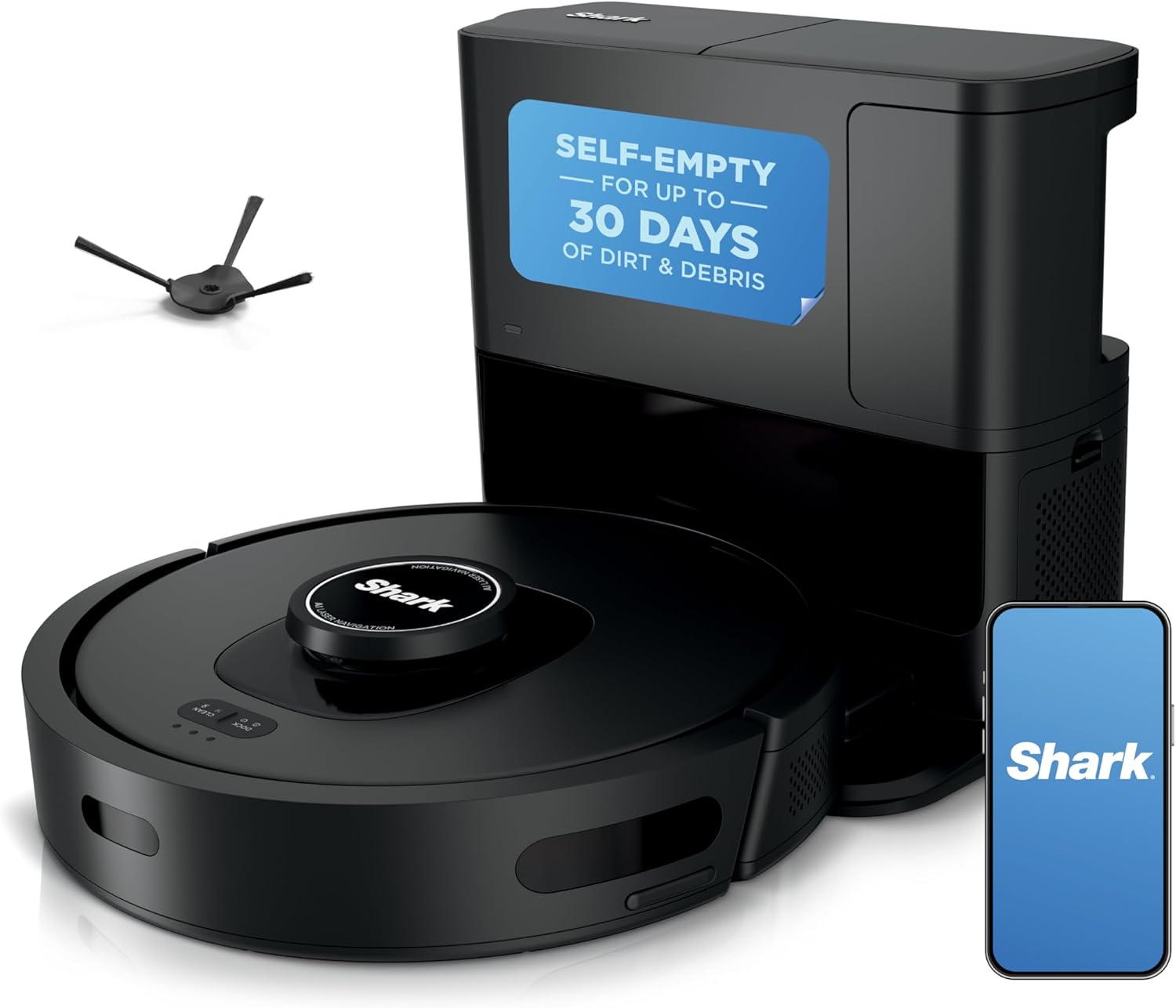
Shark AV2501S AI Ultra
Self-emptying, quiet operation, no-go zones that actually work
Mapping misses wall sections, foam filter needs cleaning every 2-3 runs
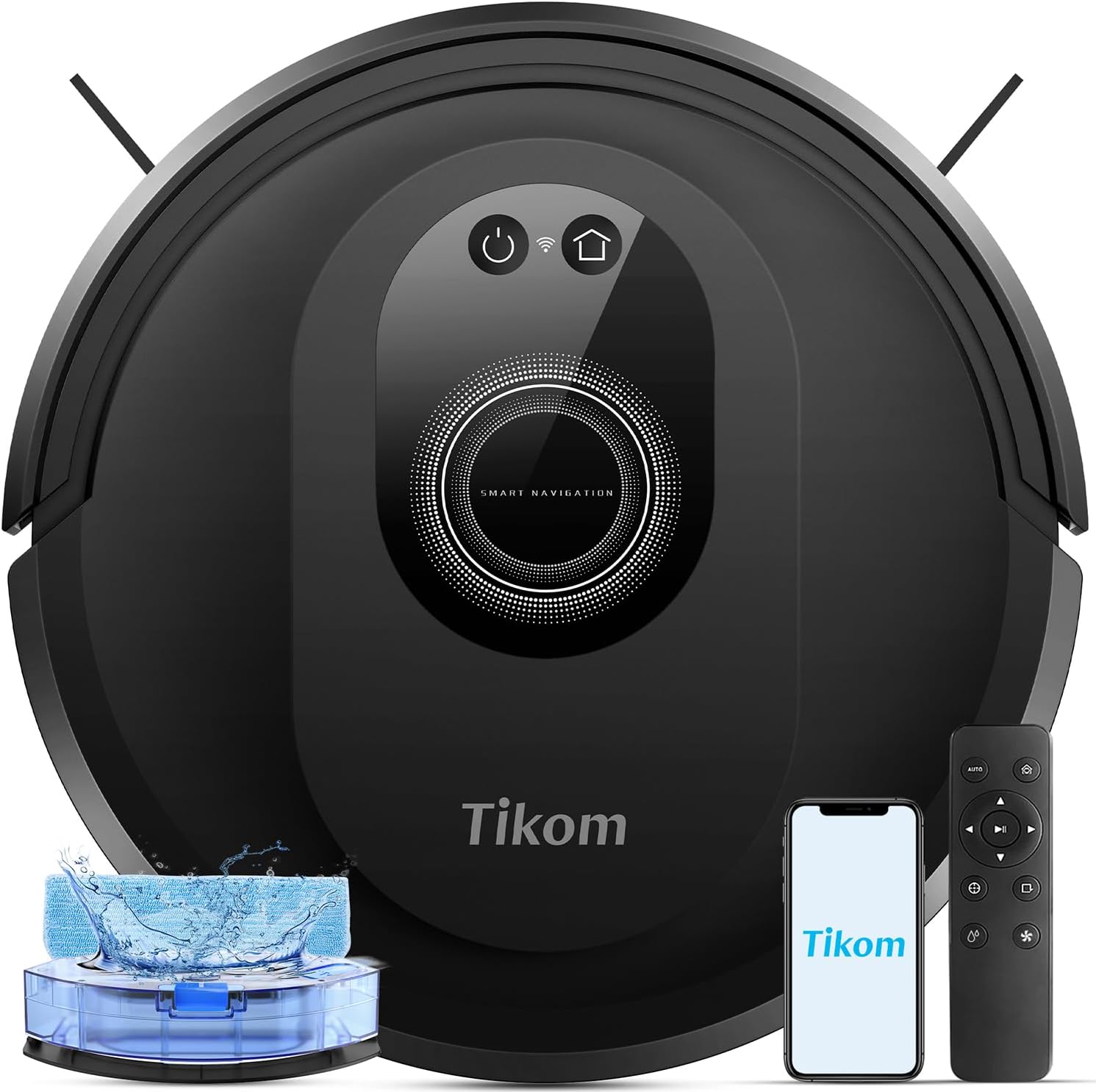
Tikom G8000 Max
5000Pa suction, 150-minute battery, cheap
Gets stuck on everything, mopping is light maintenance only
Prices and availability were captured from Amazon Creators API and may change.
How I Tested
I ran both bots through my normal routine: daily cleaning passes across 1,000 square feet of mixed hardwood, low-pile carpet, and area rugs with a 0.5-inch lip. Dusty the lab mix contributed his usual two-pillows-a-week worth of fur. The cats dragged litter out of the box. I let the bots run on schedule for a full month, not a weekend.
For the battery specifically, I tracked charge time, runtime, and how long each bot held its charge sitting on the dock. I also checked the apps to see if either one actually tells you when the battery is degrading, which neither does. That's the real problem. You don't get a warning. The bot just starts dying mid-run.
Battery Life and Degradation
The Tikom G8000 Max claims 150 minutes of runtime, and in my testing it actually delivered close to that on a fresh charge. It cleaned my entire main floor, which takes about 90 minutes with normal navigation, and had juice left over. But here's what I noticed: after three weeks of daily use, the runtime dropped by maybe 10 minutes. That's normal wear, not a failure.
The Shark AV2501S is trickier. It has a 30-day capacity self-empty base, so the bot itself doesn't need a huge battery. It runs about 100 minutes per charge, which is fine for most homes. But the self-empty base is loud, as loud as a typical upright vacuum, and the foam roll filter inside the dock gets very dirty very fast.
You'll clean it every 2-3 runs. That's not a battery issue, but it's a maintenance issue that makes the whole system feel more fragile than it is.
The "Keeps Dying" Problem
Here's what I've learned from clients who think their battery is dead: sometimes it's not the battery. If your bot dies at the same spot every time, check the charging contacts on both the bot and the dock. I've seen a client's bot fail to charge because a cat hair was wrapped around the contact pins. Clean those with a dry cloth and see if the problem goes away.
If the bot genuinely won't hold a charge, you have two options. First, check if the battery is replaceable. Many bots, including the Tikom, have user-replaceable batteries. A new battery for the Tikom runs about $30-$40.
The Shark's battery is also replaceable but harder to access. Second, if the bot is more than two years old and you've run it daily, the battery may simply be at end of life.
At that point, cost-per-day math matters. A $150 bot that lasts two years is about 20 cents a day. A $40 battery that gives you another year is a better deal than a new bot.
Navigation and Getting Stuck
The Tikom gets stuck. On quite literally everything. Low furniture, thresholds, cords. I watched it wedge itself under a client's sofa so tight I had to tip the sofa to free it. And when you rescue it, it will immediately go right back into the same spot. That's not a battery problem, but it's a frustration problem that makes you want to throw the whole thing away.
The Shark handles navigation better. Its Matrix Clean pattern is genuinely good, and the no-go zones work properly, which is more than I can say for most bots in this class. But the mapping could be much better.
My first Explore run missed entire wall sections. I had to run it 2-3 times before the map was accurate.
And if you bounce between a mapped floor and an unmapped one, the bot starts re-cleaning the last 3-foot section over and over until you manually stop it.
I had to delete the map and re-explore to fix it.
The App Factor
The Shark CLEAN app is simple to set up and I had it scheduling within minutes. But it could use some improvements. No live location tracking, no estimated time of completion. I've had it fail to register with "Something went wrong" and zero explanation.
The Tikom app is more basic but functional. Remote control works, scheduling works. It's not fancy, but at that price point, it doesn't need to be.
Mopping Reality Check
Both bots come with mop attachments. Neither of them actually mops like a person with a mop. Some owners say the Tikom's mopping is "surprisingly effective" for routine maintenance. Others, like me, say it's not great and definitely not a replacement for a normal mop.
Both are true, depending on what you expect. It's light maintenance, not deep scrubbing. Dried footprints, kitchen grime, juice spills that sat overnight, none of them handle that.
Should You Buy the Tikom G8000 Max?
Best for tight budgets and open floor plans. If you have a relatively open space without low furniture, this bot is a steal at around $150. The suction is real, the battery is legit, and the app works.
But if you have furniture that sits low to the ground, budget for the time you'll spend rescuing it. I'd only recommend this to clients who are home during the cleaning cycle or who have a floor plan that doesn't challenge it.
Should You Buy the Shark AV2501S AI Ultra?
Best for self-emptying convenience if you can tolerate the maintenance. I paid around $300 for mine during a Black Friday weekend, and honestly, I wouldn't spend more than that for it. The Evacuate and Resume feature is genuinely convenient, and the quiet operation means you can have a conversation standing next to it.
But the mapping issues and the foam filter maintenance keep it from being a slam-dunk recommendation.
If you want a self-emptying bot and you're patient with re-mapping, this is the best I've tested under $400.
What Else to Consider
The battery fix itself. Before you buy anything, try the simple stuff. Clean the charging contacts, check the battery health in the app if your bot has that feature, and make sure the dock is on a hard, level surface. I've seen bots fail to charge because the dock was on a thick carpet and the bot couldn't make solid contact.
The cost-per-day math. At $150, the Tikom costs about 20 cents a day if it lasts two years. At $300, the Shark costs about 27 cents a day over three years. That's the real value proposition. You're not buying a vacuum, you're buying the ability to not vacuum most days.
The "not a replacement" disclaimer. Keeping in mind these bot vacs are not meant for DEEP cleaning carpets. You'll still need a real vacuum for that. What a bot does is reduce how often you need to deep-clean. If you run it daily, you can go from vacuuming every other day to once a week. That's the real value.
The Bottom Line
Neither of these bots is perfect. The Tikom gets stuck too easily, and the Shark has mapping issues that will test your patience. But if you're dealing with a dying battery and wondering whether to fix or replace, the answer depends on the bot's age. Under two years old, replace the battery. Over two years, run the cost-per-day math and decide from there.
If you're buying new, the Shark is the better overall bot if you can tolerate the mapping quirks. The Tikom is the better value if your floor plan doesn't challenge it. Neither will replace your real vacuum, and neither will mop like a person. But both will keep your floors from getting dusty between deep cleans, and that's the honest job description.