
Most people unbox a robot vacuum, tap through the app, and press start. Then they spend six months wondering why the floors still feel gritty underfoot. I get called into those houses. I run a five-person cleaning team in Raleigh, we service more than 40 homes a week, and the number one reason a robot vacuum underperforms has nothing to do with suction. It is the robot vacuum setup.
A setup that works is boring work. You clear the floor, you let the unit map, you set boundaries, you put it on a schedule, and then you maintain it on a rhythm. Do those five things and a mid-priced robot keeps your floors at about 80 percent clean, which means your weekly deep clean takes 20 percent of the effort it used to. Skip them and even a flagship unit turns into a cord-eating obstacle with a charging dock.
I have run robot vacuums in every floor plan you can imagine: 4,000 square foot houses, 600 square foot apartments with two cats, homes where charging cords outnumber the furniture. Here is the setup process that holds up on job sites, not just on a showroom tile.
Why you should trust me
I cleaned houses for nine years before I started running my own crew, and I have been the person who empties other people's dustbins for most of that time. Every robot I recommend has spent a full month on real client floors, not a demo room. I keep what I call a mess index: what is actually in the bin after a scheduled run, and what the robot left along the baseboards. That is the only honest performance metric I have found. Spec sheets lie. The dustbin does not.
I also own a drawer of promising robots that failed on job sites. Some ate charging cords. Some rediscovered the house on every single run. Some needed a screwdriver to empty. Every recommendation below survived a month of other people's floors.
How I picked and how I tested
I put each unit through the same four checks over a month of scheduled runs in client homes. First, the bin: does it fill with real dust and pet hair, or just fluff? Second, the rug transition: my test rug has a half-inch lip, and a robot that cannot cross it cannot handle a normal house. Third, the app: does it hold a schedule through a firmware update without redrawing the map, and do no-go zones stay where I put them? Fourth, supervision: would I leave this robot running in a client's home while nobody is watching?
For pet owners I add a fifth check, obstacle avoidance against pet waste, because I have seen what happens when a robot without real avoidance finds a mess before you do. That test is non-negotiable before I recommend anything to a household with a dog or a cat.
The two units below are the ones that came out of that month still earning their spot. They sit at opposite ends of the price ladder, and they solve different problems.
The two robots I start clients with
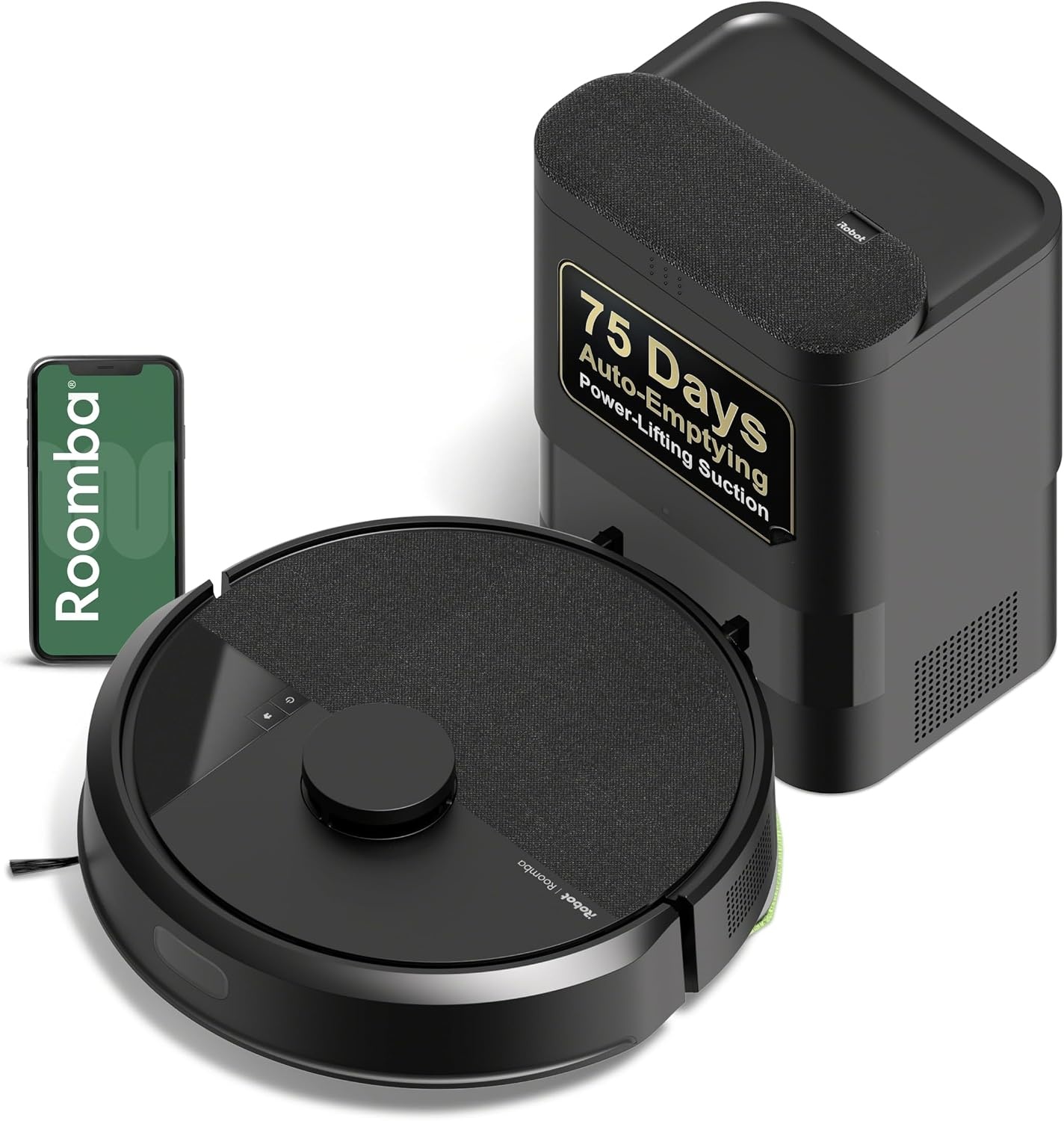
Our pick: iRobot Roomba 105 Vac Robot Vacuum with AutoEmpty Dock - Self-Empties for 75 Days, Easy to use, Intense Power-Lifting Suction, LiDAR Navigation, Multi-Surface Cleaning, Cleans in Neat Rows
 Visit on Amazon →
This is the one I hand to households that have pets, kids, or a mix of hard floor and area rugs. The AutoEmpty dock is the feature that changes the math. It self-empties for up to 75 days, which means the bin habit that kills most robot routines becomes a once-a-season chore instead of a daily one. When you are cleaning for a living, a dock that seals the dust away is not a luxury. It is the difference between a robot that runs every day and a robot that sits in a corner because nobody wants to deal with the bin.
The LiDAR navigation is the other part I care about. LiDAR maps by measuring distance with light, so the robot builds a real floor plan instead of bumping around and guessing. In practice that shows up as neat rows and consistent coverage, and the app keeps the map stable between runs. I have watched too many units redraw the house every morning to take that for granted.
Flaws but not dealbreakers: The dock takes up real floor space and needs a wall outlet you are willing to dedicate. Budget for that before it arrives, not after. And no robot at this level is going to detail your baseboards. You still own the corners.
Anyone with pets or a multi-surface house who wants to stop thinking about the dustbin should start here.
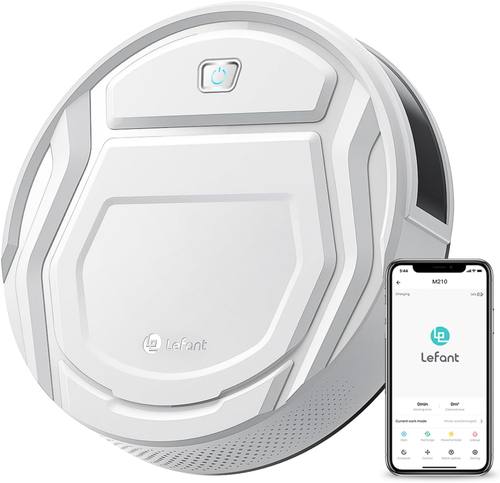
Budget pick: Lefant Robot Vacuum Cleaner, Strong Suction, 120 Mins Runtime, Slim, Low Noise, Automatic Self-Charging, Wi-Fi/App/Alexa Control, Ideal for Pet Hair Hard Floor and Daily Cleaning, M210
 Visit on Amazon →
This is the unit I recommend for a small apartment or a single-floor home with hard flooring and no serious rugs. The slim body gets under furniture that stops taller robots, the 120 minute runtime covers a full apartment on one charge, and it self-charges when it is done. Low noise matters more than people expect, because a robot you can run while you are home is a robot that actually runs. Wi-Fi, app, and Alexa control mean you can start it from the couch or by voice.
Flaws but not dealbreakers: It has no self-emptying dock, so the bin is your job. Empty it after every run and this stays a useful tool. Ignore it for a week and you will be wondering why the suction feels weak. There is also no sealed bag system, so if you have heavy allergies, the dock unit above is the better fit.
Anyone in a one-bedroom with two cats and no rug transitions will get their money's worth here.
What you need before the first run
You need about 30 minutes and a clear floor. Walk the space at the robot's eye level, which is the floor itself, and pick up everything the robot could swallow: charging cables, headphones, socks, hair ties, pet toys, curtain tassels, the loose edge of a bath mat. Charging cords are the single most common casualty I see, and a cord wrapped around a brush roll can stall a robot mid-run.
Check your thresholds and rug edges. If a rug curls at the corner, tape it or the robot will fold it into a burrito. Move pet bowls and water dishes to a spot you can mark as a no-go zone, because a robot that runs through a water bowl turns into a wet mess spread across three rooms.
Finally, decide where the dock lives. It needs a wall outlet, about three feet of clearance on both sides, and a spot where the robot can find it again. A dock behind a couch is a dock the robot will circle for ten minutes before giving up.
The robot vacuum setup, step by step
Step one: Charge it fully before you do anything else. A robot that dies at 40 percent of a mapping run builds a partial map, and partial maps cause the rediscovery problem. Plug in the dock, let the unit charge, then start.
Step two: Run the first clean with the lights on and the floor clear. This is the mapping run. Do not schedule it. Watch it. Follow it from room to room and note where it gets stuck, where it climbs something it should not, and where it misses. Ten minutes of watching saves a month of guessing.
Step three: Open the map in the app and fix it. Rooms get merged or mislabeled on the first pass. Split them, rename them, and set your no-go zones and invisible walls now. Mark pet bowls, the Christmas tree corner, the cable nest behind the TV, and any room you want skipped. Then run a second full clean to confirm the robot respects those boundaries. If a zone moves after a firmware update, redraw it. That is normal maintenance, not a defect.
Step four: Set a schedule that matches your actual day. Daily is the right answer for most homes with pets. Pick a time when you are out, because a robot running while you are home is a robot you will trip over and eventually stop using. If your home is one open floor, one run covers it. If you have bedrooms behind closed doors, schedule a second run with those doors open, or accept that the robot only cleans the main floor.
Step five: Test the rug transitions yourself. Watch one full run across your worst rug. If the robot stalls, folds, or refuses the lip, move the rug, add a rug pad, or accept that this unit is a hard-floor robot. This is where most people discover their robot is not the problem. The rug is.
Step six: Set the bin habit immediately. Empty the bin after every run for the first week so you can see what your floors are actually producing. After that, empty it every run if you have pets, and every other run if you do not. If you bought a self-emptying unit, check the dock bag every few weeks and replace it when it is full, because a full bag means the dock stops pulling dust and the robot starts smelling like a vacuum bag left in a closet.
Step seven: Do a monthly maintenance pass. Flip the robot over. Cut hair off the brush roll and the side brush. Wipe the sensors and the charging contacts with a dry cloth. Check the wheels for wrapped hair. This takes five minutes and it is the difference between a robot that lasts three years and one that starts leaving a trail of debris at month eight.
Step eight: Handle edge cleaning with your own two hands. Most robots leave a one inch strip along baseboards and in corners. That strip is yours. A quick pass with a handheld or a broom along the walls once a week is the honest cost of owning a robot, and it is still less work than vacuuming the whole floor.
The daily habit that keeps it working
The robot is a maintenance tool, not a maid. It keeps floors at 80 percent so your deep clean takes 20 percent of the effort. That means the robot runs daily and you still do a real clean weekly or biweekly. Homes with shedding pets may need the real clean more often, and homes with three kids and a backyard will need it more often than that.
The habit that matters most is the one nobody wants to hear: check the bin, check the brush, clear the floor before the run. Three minutes a day. Do that and a mid-range robot outperforms a flagship that nobody maintains.
Where setups fail
The biggest failure is the set-and-forget fantasy. No robot on the market empties itself into a sealed bag, cleans its own brush roll, and picks up the socks you left on the stairs. If you want that, you want a housekeeper, not a robot.
The second failure is app overreach. The mapping app is a toy. The dustbin is the truth. Do not spend an evening tuning schedules and room names before you have watched one full run. Watch the run, then fix the map.
The third failure is combo mop units. I have cleaned up after enough of them to have a rule: skip robot mop combos at the low end of the market. They smear more than they clean, and they leave you scrubbing a sticky film off hard floors. Buy a vacuum that vacuums well and mop by hand, or spend real money on a mop system that actually scrubs.
The fourth failure is expecting the robot to solve a clutter problem. Robots clean floors, not surfaces. If the floor is covered, the robot is useless, and no amount of navigation technology fixes a pile of laundry.
What this costs you over a year
The money side is simple. Both units above are on Amazon, and you should check current Amazon price on each before you decide, because the gap between them shifts with sales. What does not shift is the time math.
A robot run takes a few minutes of your attention, mostly clearing the floor and emptying the bin. A full manual vacuum of the same square footage takes 20 to 40 minutes depending on furniture. Run the robot daily for a year and you are trading a small daily habit for a weekly chore, which is the entire point.
The self-emptying dock costs more up front and buys back the daily bin ritual. The basic unit costs less and asks for three minutes a day. Both are honest trades. Pick based on your household, not on the spec sheet.
Start with the floor plan you actually have. Clear it, map it, schedule it, maintain it. The robot was built to do this. Let it.