
Most robot vacuum and mop combo units do not fail because of suction. They fail because of the routine around them. Someone runs the thing twice during week one, the bin fills up, the mop pad sits damp in the dock, and by week three the robot is a very expensive floor ornament with a blinking light.
I clean more than 40 homes a week with a five person team in Raleigh, and I have a drawer full of "promising" robots that did not survive a real job site. The units that last all share one trait: they were set up around the house they actually live in, not around the spec sheet they were sold with. The mapping app is a toy. The dustbin is the truth.
This is the setup I use for a robot vacuum and mop combo that has to run every day without anyone thinking about it. Two units did the work for this article, and I will tell you plainly which home each one belongs in.
Why you should trust me
Nine years of professional cleaning, five people on my crew, 40 plus homes a week. I have run robots in 4,000 square foot houses with three rug transitions in one hallway, and in 600 square foot apartments with two cats and a cord behind every piece of furniture.
My performance metric is the mess index, which is what is left in the dustbin after a scheduled run. Not what the box claims. Not what the app dashboard reports. What actually came off the floor.
Three rules I do not break. No recommendation without a full month in real homes. No recommendation for pet owners without a pet waste obstacle test, because obstacle avoidance is the difference between a clean floor and a ruined afternoon. And no "set and forget" claims, because every robot on earth needs a bin habit or it stops being useful.
How I tested these two units
Both robots ran a full month across client homes, not a showroom floor. The same four checks applied to each one.
Does the bin fill with real dust, or just fluff that a broom would have caught anyway. Can it handle my test rug with a 0.5 inch lip without stalling or dragging the corner. Does the schedule survive a firmware update, or does the app rediscover the house and ask me to redraw the map. And the last one, which is the only one that really matters: would I leave it in a client's home unsupervised and walk out the door.
I did not measure suction in a lab. The listed numbers are on the box, and the Pa rating on each of these two units is right there in the name. What I measured was what stayed on the floor after a week of scheduled runs, and how much of my own time the thing saved or cost me.
Before the first run: four fixes
Do these four things first and you skip 80 percent of the frustration that shows up in the first month.
Clear the floor at robot height. Cords, charging cables, socks, pet bowls, the strap on a tote bag. Walk the room looking down at the floor, not standing up scanning the furniture. A robot that eats a charging cable stops mid job and you spend your evening untangling it.
Check your rug transitions. If the lip is more than half an inch, test it before you trust it. A robot that can handle a flat rug edge and a robot that can handle a thick shag border are two different machines. Put it on the rug once while you are home and watch the climb.
Pick a schedule you will actually keep. Daily, and set to start before you normally leave. A robot running while you are home is a robot you will unplug because it is loud.
Decide who empties the bin. If you have pets, this is daily. Write it down, assign it, and do not pretend the dock handles it forever.
The two units I ran for a month
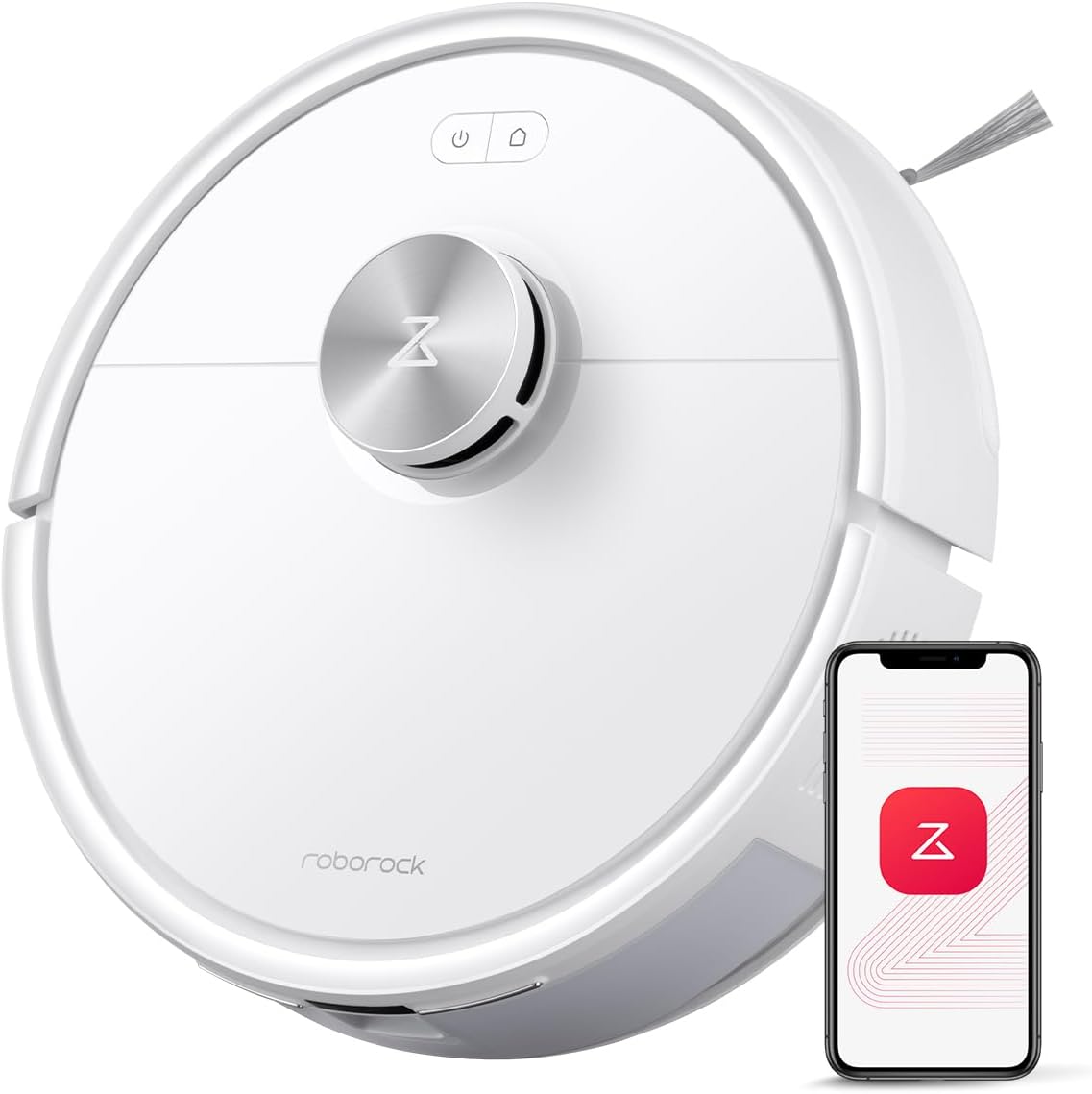
The starter pick: roborock Q7 M5 Robot Vacuum and Mop Combo, 10,000Pa HyperForce Suction
 Visit on Amazon →
This is the unit I put in smaller homes and apartments. The 10,000Pa HyperForce suction rating is the headline, but what sold me on it for that kind of space is the combination of vacuum and mop in one pass. In a 600 square foot apartment with hard floors and two cats, running one machine that does both jobs means one schedule instead of two chores.
Where it belongs: hard floors with one or two low pile rugs, no pet waste risk, and a floor plan simple enough that you are not fighting three doorway thresholds on every run. In that context it does the job and it does it daily, which is the whole point. Check current Amazon price and compare it against what you would spend on a separate mop and a broom.
Flaws but not dealbreakers: The mop side is a maintenance mop, not a scrubber. If you have dried spills that have been sitting for a day, you still need a rag. It is also not the unit I would hand to someone with a nervous dog, because a robot that has to be rescued from a cable pile is a robot that scares the household.
Anyone in an apartment or a small house with mostly hard floors and no pet accidents will get the most out of this one.
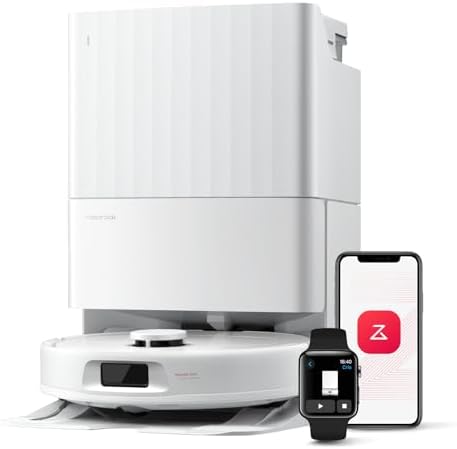
The upgrade pick: roborock 2026 New Qrevo S Pro Robot Vacuum and Mop, 18,500Pa Suction
 Visit on Amazon →
This is the one I would buy for a house with rugs, pets, or both. The 18,500Pa suction rating is the highest of the two by a wide margin, and in my month with it that gap showed up in exactly one place: what came off the low pile rug in a client's living room after a run versus what the lighter unit left behind.
It is also the unit I trust more on a complicated floor plan, because bigger suction and a vacuum and mop combo in one chassis means fewer passes and fewer excuses. Check current Amazon price before you commit, because this one sits in a different budget bracket than the Q7 M5, and you should only pay that difference if your floors justify it.
Flaws but not dealbreakers: More robot means more to maintain. More power usually means more to clean out of the brushroll, and the mop side still needs the pad rinsed and dried or it smells. Neither of those is a reason to skip it. They are reasons to put the maintenance on your weekly list.
Anyone with wall to wall carpet plus hard floors, a shedding pet, or a house over 1,500 square feet should start here.
The setup workflow, step by step
Now the part you came for. This order matters, and skipping steps is why people end up with a robot that redraws the map every week.
Step one: charge and update before the first real run. Let it sit on the dock until it is full, then run any firmware update the app offers. Doing this before the robot has a map means you are not redoing your work after the update resets something.
Step two: map with the lights on and the floor clear. Let the first mapping run happen in a bright room with nothing on the floor. Move the dining chairs. Pick up the dog bed. A map built around clutter is a map with phantom walls in it.
Step three: name the rooms and set the run order. Name them the way you actually talk about your house, not "Room 1" and "Room 2." Then order the run so the robot finishes on hard floors, which keeps a damp mop pad off the carpet at the end of the cycle.
Step four: schedule the daily run. Daily, before you leave. If you work from home, schedule it for the hour you are on calls in one room, and set that room as a no go zone for that run if your app allows it.
Step five: set suction by room. Low on bare hard floors where dust is easy, higher on carpet where grit works its way down into the pile. Running max suction everywhere just drains the battery and makes the robot louder than it needs to be.
Step six: set the mop. Water flow on the low side for sealed hard floors. If your floors are laminate with visible seams, test a small area first and check for standing water at the edges. Then rinse the pad and let it dry after every run, not every third run.
Step seven: draw the no go zones once. Cables behind the desk, the dog bowl, the rug with the tassels. Draw them wide, then verify by watching one full run while you are home.
Step eight: re-verify after every firmware update. This is the step everyone skips. Open the app, look at the map, check the schedule and the zones. If the update cleared them, redraw them that day, not the day you notice the robot under the couch.
The habits that keep it running
Daily, about 60 seconds: clear the floor at robot height, glance in the bin, and let the schedule do its thing. If you have pets, empty the bin every single day.
Weekly, about five minutes: rinse the mop pad and let it dry flat, pull hair off the brushroll, and wipe the sensors and the charging contacts on the dock with a dry cloth.
Monthly, about ten minutes: check the filter, replace it when it stops passing air, and look at the wheels for wound up hair. A robot with hair around an axle still runs, it just misses spots and you never notice until the mess index tells you.
Where this goes wrong
Pet waste. Obstacle avoidance is good and not perfect. I will not recommend any robot to a pet owner without a supervised test in the room where accidents happen. Watch one run with the pet in the house before you trust it.
Dark rugs and cliff sensors. Some robots treat a dark rug as a drop off and refuse to climb on. Test it once while you are home. If it will not go, that is a no go zone, not a fixable problem.
Edge cleaning. Most robots leave about an inch strip along baseboards. That strip is yours. Run a crevice tool along the walls once a week and stop expecting the robot to erase it.
Wet pads on rugs. If the mop pad is still damp when the robot hits the carpet, you get a smell and a stain. End the run on hard floors, and dry the pad.
Mapping that rediscovers the house. If your robot rebuilds the map after every update, stop using the quick map feature and let a full mapping run finish uninterrupted.
What this costs
The two units here sit at very different points in the market, and the gap between them is real. Check current Amazon price on each one and then do the honest math: divide the difference by the number of days you will actually run it. If you run it daily for two years, that gap is small. If you run it twice a month, neither unit is worth buying and you should spend the money on a broom and a mop.
The recurring cost is the part people forget. Bags if your dock uses them, filters, and mop pads. Budget for replacements the same way you budget for vacuum bags, because a robot with a clogged filter and a crusty pad is a robot that smears dirt around.
The bottom line
A robot vacuum and mop combo is a maintenance tool, not a maid. It keeps your floors at about 80 percent so you only handle the last 20. That trade only works if you set it up around your actual house, give it a daily schedule, and keep the bin habit.
Pick the Q7 M5 if you are in an apartment or a small home with hard floors and no pet accidents. Pick the Qrevo S Pro if you have rugs, pets, or square footage that punishes weak suction. Either way, do the mapping run properly, draw the zones, and check the app after every update.
Then leave it alone and let it work. The dustbin will tell you the truth.